Install TypeStudio
Introduction
TypeStudio is a PWA (Progressive Web App). Other than providing modern capabilities, a PWA can be installed on your device (laptop or phone).Once installed, the TypeStudio app can be accessed directly from the App Launcher or the Start Menu of your device.
The installed app also works offline. Since your uploaded ttf files are not required to be uploaded to a backend server, the entire TypeStudio functionality is available even when you are offline. This is not only productive, but also makes your content secure. Your uploads never leave your device.
Desktop
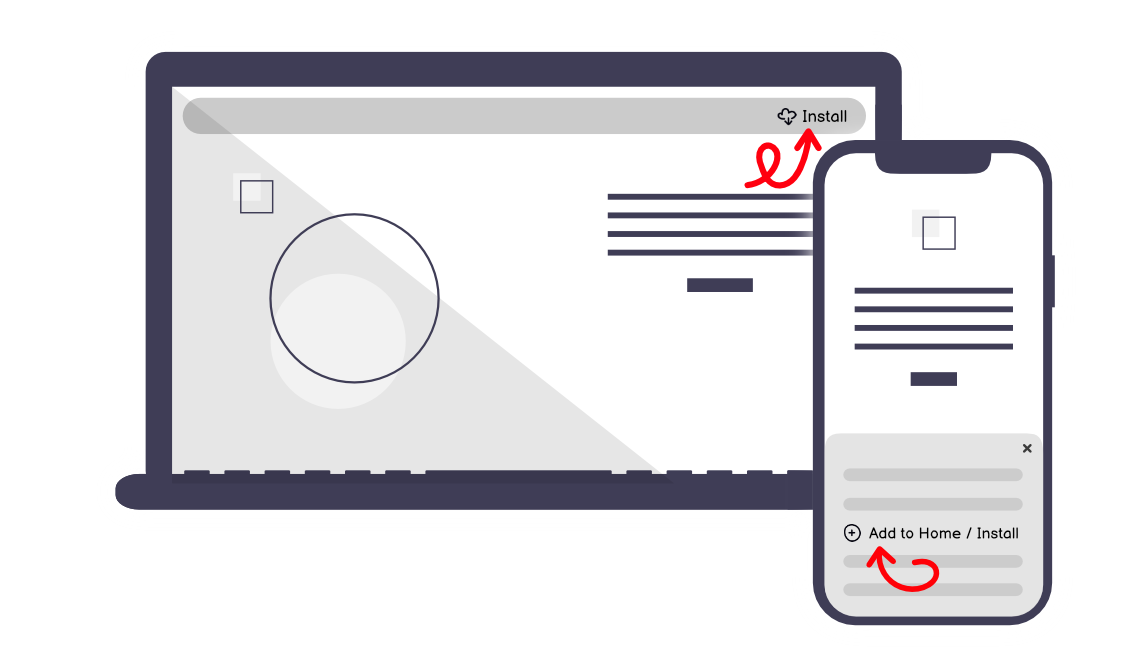
To install TypeStudio on your Mac or PC, click on the "Install" button: usually found in the URL address bar on the top.All major modern browsers support PWA installation.
Mobile
To install TypeStudio on your iPhone or Android device, open the browser menu when you visit a PWA page. Then, click on the "Add to Home" or "Install" button.All major mobile browsers support PWA installation.
Help
It is always recommended to ensure that your browser is updated to the latest released version.For more information or to get more help about installing a PWA, click here.
Hey there! My name is Kedar, I am a type enthusiast and the guy who made this website.
The idea behind TypeStudio is to provide a high-quality playground for all fellow font enthusiasts and type developers to explore, test and better understand a font.